The front desk.
Reimagined.
Visitor sign-in, rostering, leave and timesheets, and an assistant that answers as you. One system for any business with a front door and a roster. Built in Auckland, New Zealand.
Where is everything?
Not lost, exactly. Just in three places, none of which is the desk you're standing at.
Placeholder wording, to be replaced with real language from customer conversations“The visitor book only tells me who's here if I'm standing next to it.”
“There are three copies of the roster and everyone thinks theirs is the right one.”
“Leave gets asked for in the group chat, and I'm the only one who remembers.”
Arrivo puts the visitor book, the roster, leave and timesheets in one place, and gives your staff an app that shows them their bit of it. Whether that desk is in a clinic, a café, a store or a site office.
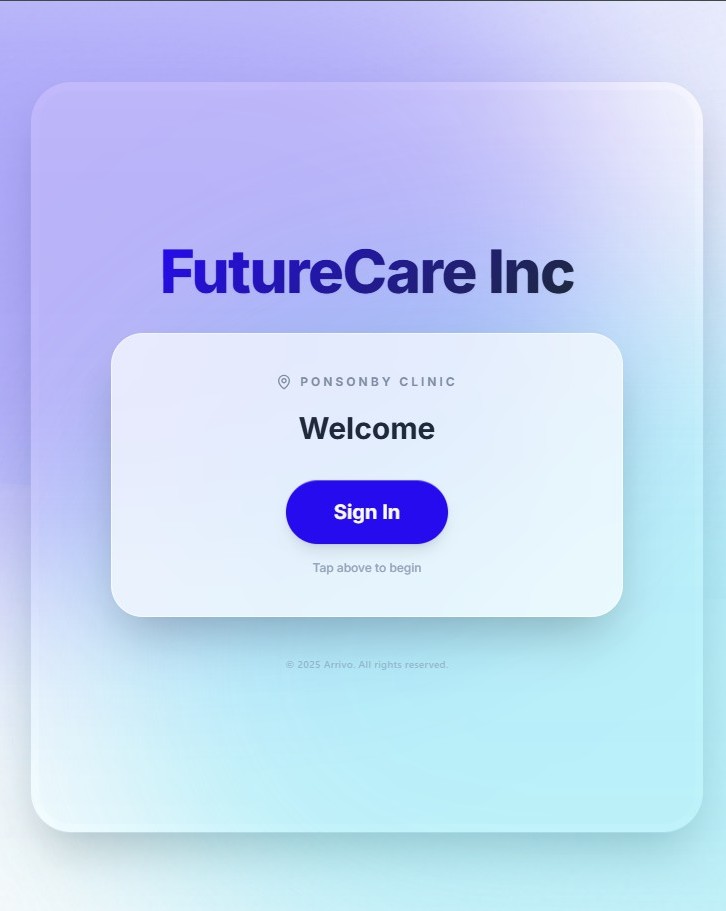
Someone signs in. The right person's phone buzzes. You haven't moved.
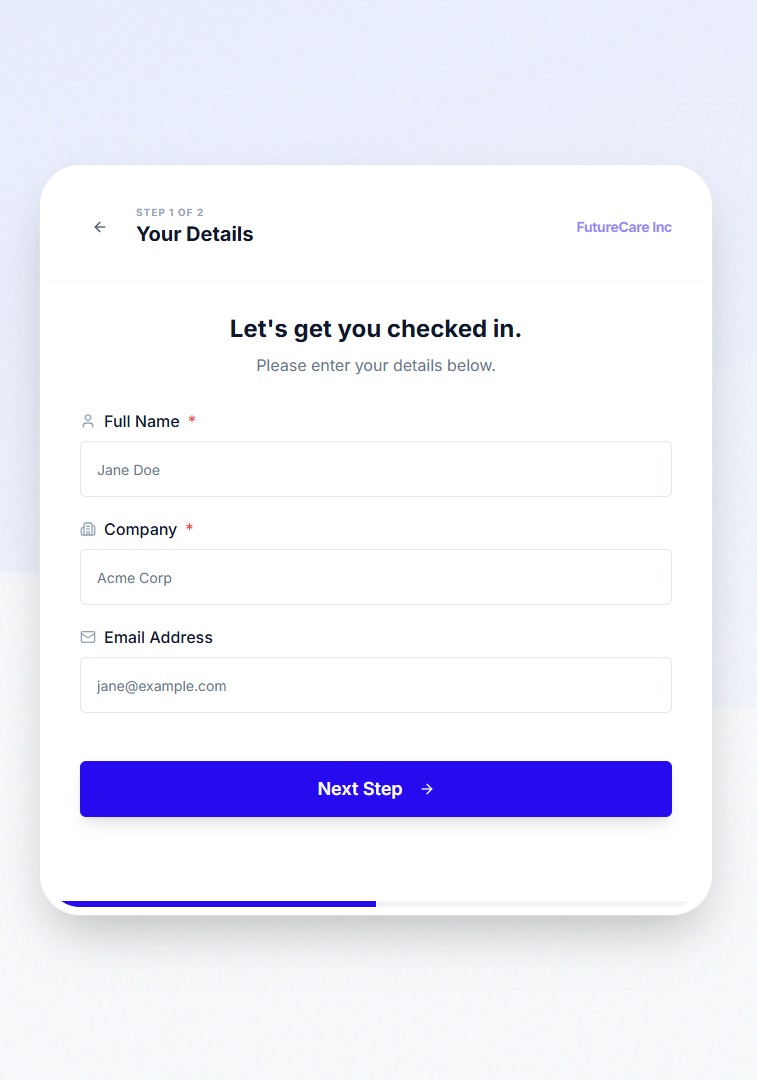
An iPad on the counter or a QR code on the wall. Visitors, customers, contractors and deliveries sign themselves in, the host gets a message, and the evacuation list is always current.
- ✓Asks only for what you’ve chosen to ask for
- ✓Your branding, your welcome screen, your form
- ✓Touchless QR sign-in on the visitor’s own phone
- ✓Searchable visitor history and one-tap evacuation list
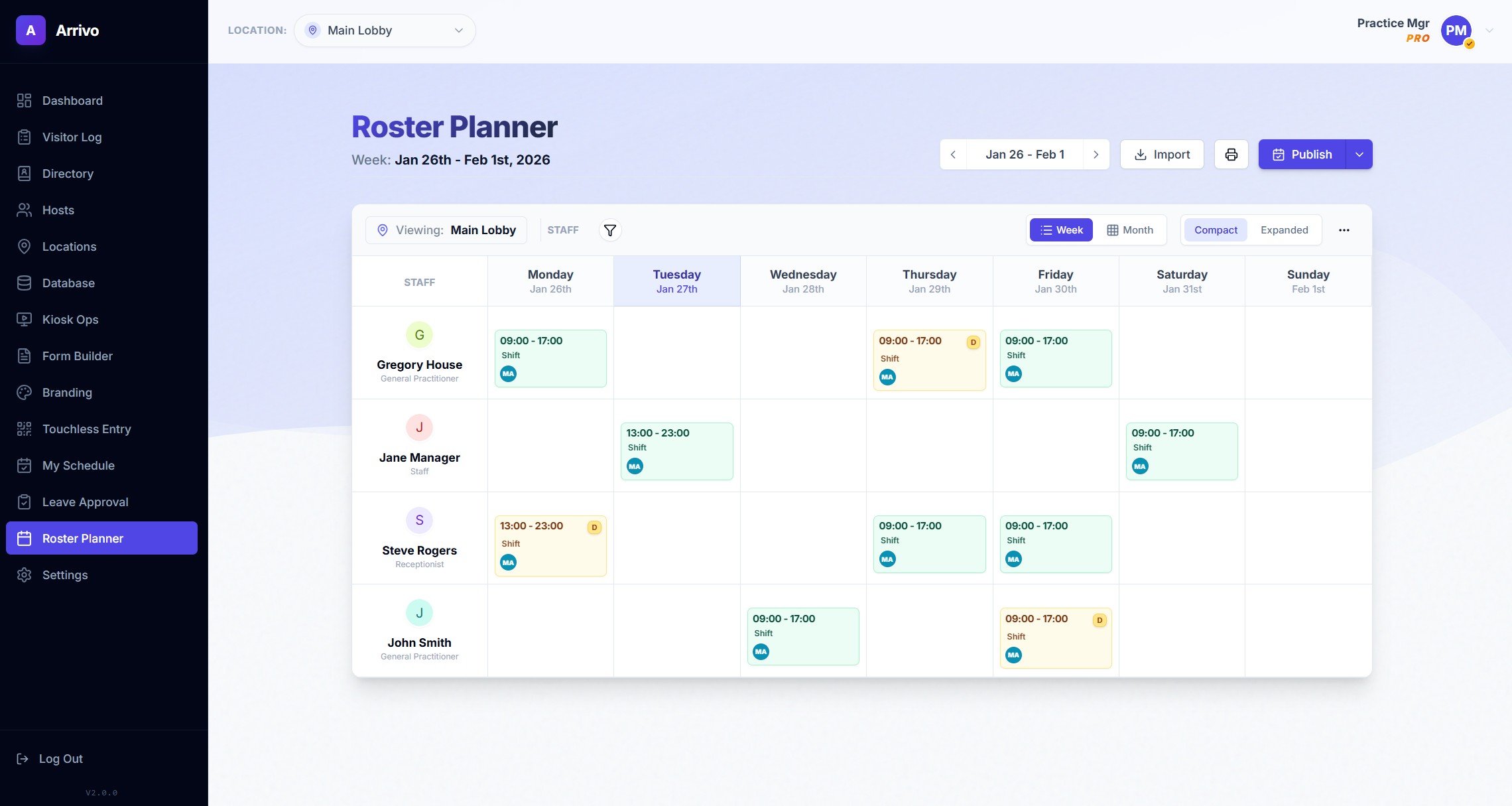
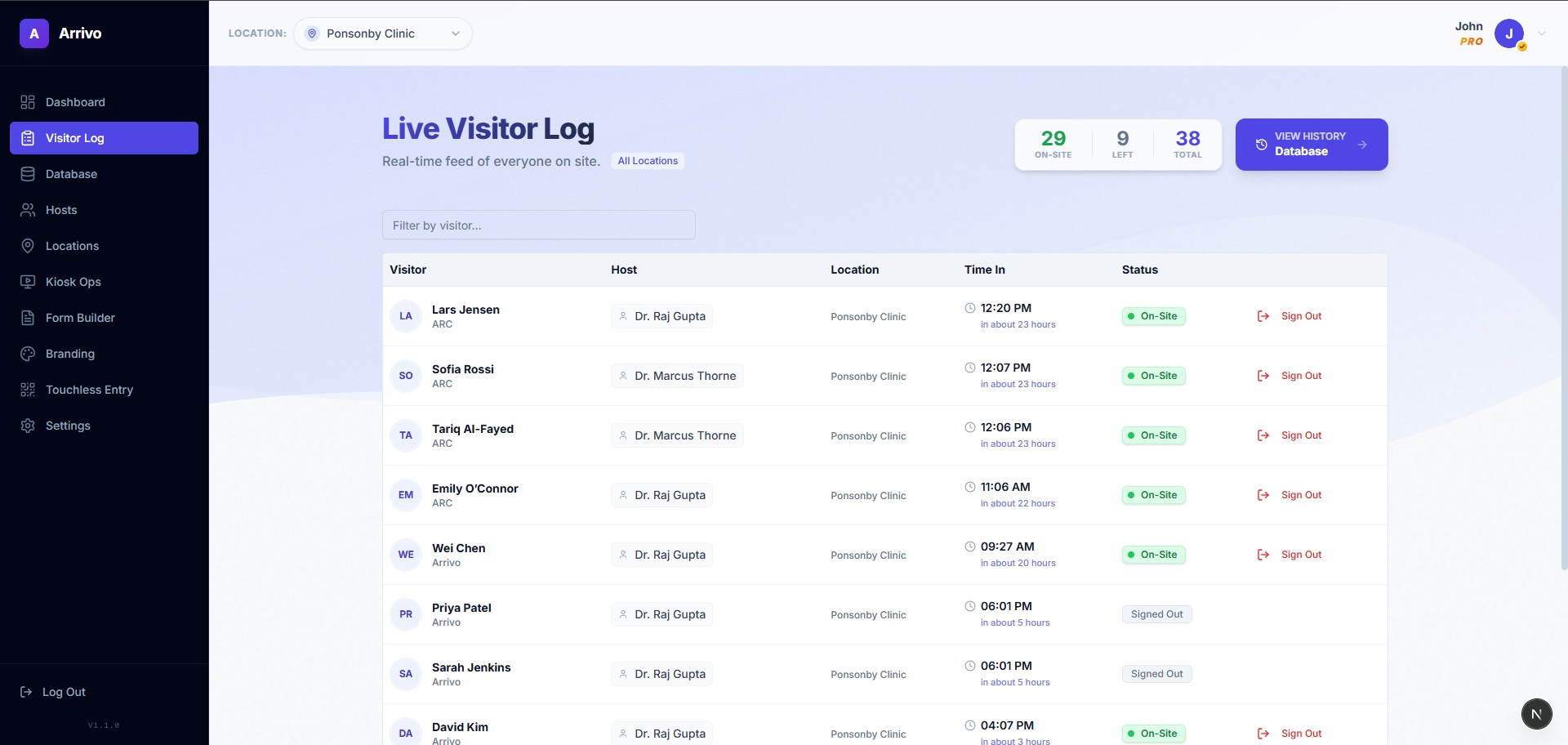
Build the week once. See the gap before you say yes.
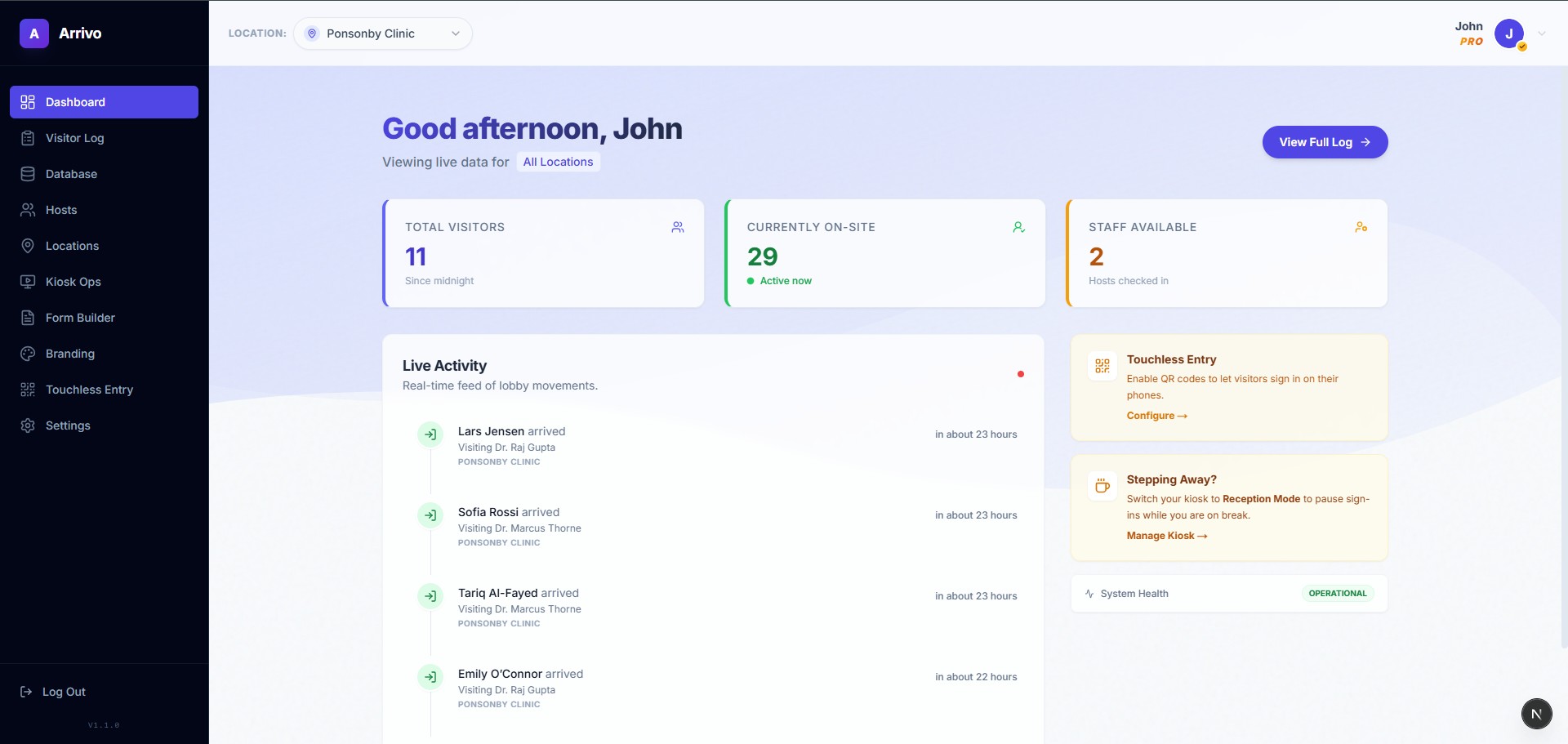
The manager's view. Roster, leave, timesheets, visitor log and the kiosk's form builder in one browser tab, across every site you run.
- ✓Drag-and-drop roster, publish once to every phone
- ✓Leave requests next to the roster, not in your texts
- ✓Timesheets from the roster, ready for payroll
- ✓Built around NZ leave and employment rules
Their shifts, their leave, their hours. In their pocket.
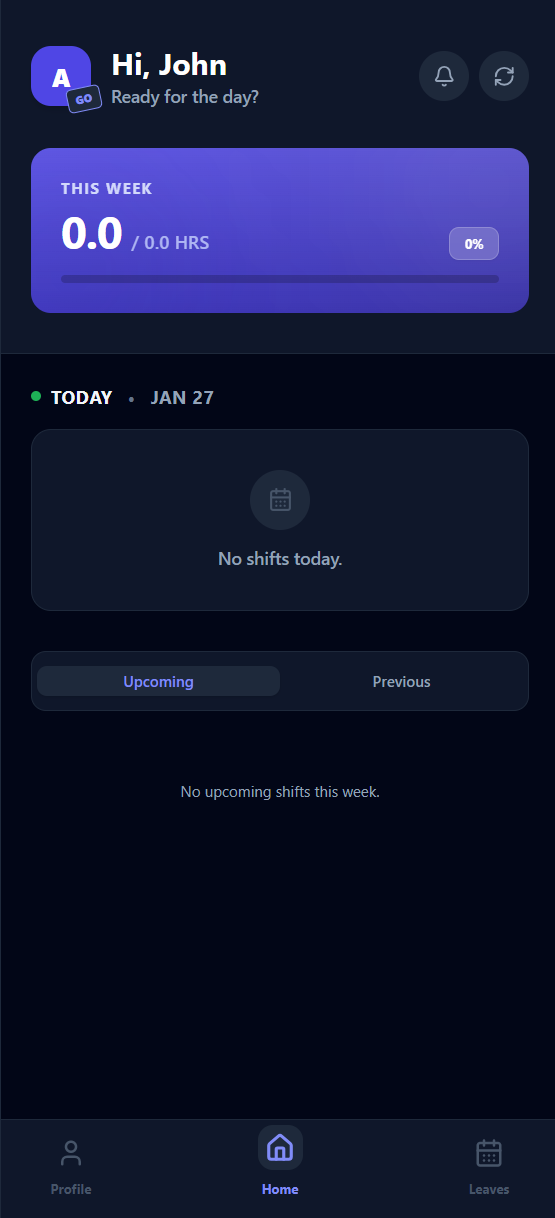
The staff app. Everyone sees their own roster the moment it's published, asks for leave in two taps, and gets told when a visitor has arrived for them.
- ✓Today’s shift and the week ahead, no screenshots
- ✓Leave requests and balances
- ✓Host alerts when a visitor signs in for you
- ✓iPhone and Android
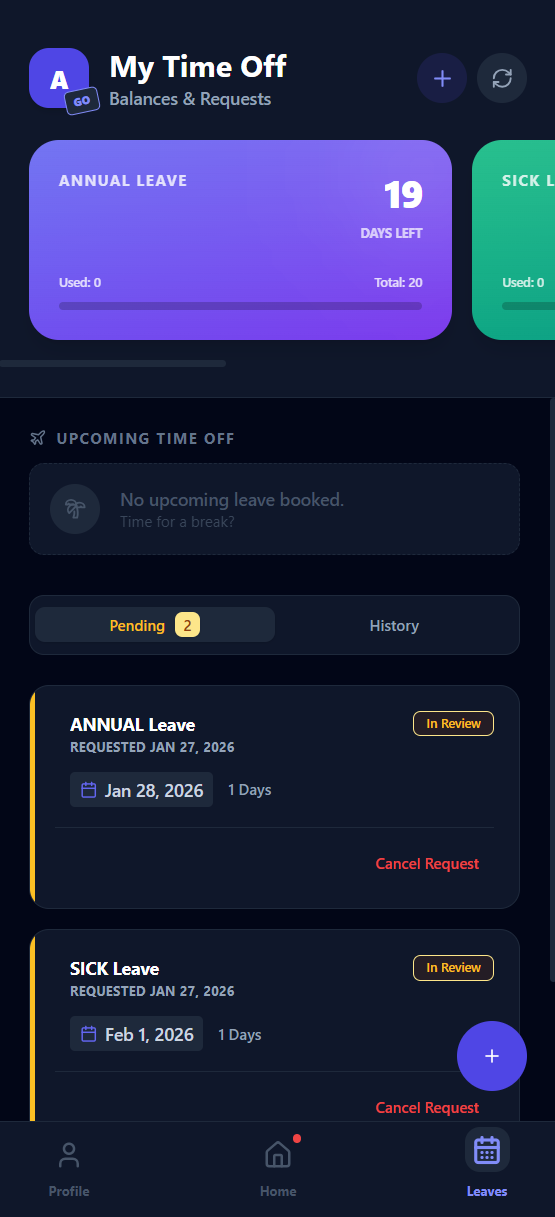
One thing happens. All three apps already know.
Kiosk, Portal and Go share one account: the same people, sites and rules. A visitor signs in at the door and the right phone buzzes. The manager publishes the roster and every phone has it. Someone asks for leave and it lands next to the day it affects. Nobody re-types anything.
See one Tuesday, told three times →Arrivo Intelligence
Two things it does: answers, and actions. Both as you.
It isn't a chatbot bolted onto the side. It's a colleague with your login. Every answer comes from calling the same permission-checked APIs the Portal uses, signed in as you. Every action is shown to you before it happens and logged under your name after.
Any business with a front door and a roster.
The same three parts, set up for how your day actually runs. Pick your industry to see what it looks like on the ground.
Built in New Zealand, for New Zealand rules.
Designed around the Privacy Act and NZ employment and leave rules from the start, not adapted from an overseas product. Built and supported from Auckland.
Three supermarkets on one roster. A cleaning team that's never in the same room.
How two very different businesses run their day on Arrivo. Read the stories →Start with the desk or the roster. Grow into both.
Per site, per month. Pricing to be confirmed. Arrivo Intelligence is available as an add-on to any plan.
- One site
- ✓Kiosk and QR sign-in
- ✓Form builder and your branding
- ✓Host alerts in Arrivo Go
- ✓Visitor log and sign-out
- ✓Live list of everyone signed in right now
- ✓Kiosk health from the Portal
- ✓Email support
- One site
- ✓Roster planner and publishing
- ✓Leave requests and balances, NZ rules
- ✓Timesheets from the published roster
- ✓Payroll-ready export
- ✓Clock in and out, on request
- ✓Arrivo Go for every staff member
- ✓Email support
- One site
- ✓Everything in Visitor
- ✓Everything in Workforce
- ✓Visitor arrivals pushed to staff phones
- ✓Roles and permissions
- ✓Forms and submissions in one place
- ✓Email support
- Everything in Basic, plus
- ✓Multi-site rosters and reporting
- ✓Site-level admin roles and reporting
- ✓One Portal for every site
- ✓Staff who work across sites see all their shifts in one Go app
- ✓Priority support
The questions we get on a demo call.
Something not here? Email Sid and you'll get a real answer, not a ticket number.
Do we need special hardware for the kiosk?+
No. Any iPad works, and a stand is optional. If you'd rather not have a device at the door, print the QR code and visitors sign in on their own phone.
Can we start with just the kiosk, or just the roster?+
Yes. The Visitor plan is only the front desk; Workforce is only roster, leave and timesheets. Adding the other half later doesn't mean starting again, because they already share the same account.
Does the assistant see patient or health information?+
No. There is no API path from Arrivo Intelligence to clinical or patient data. It's excluded in the code, so there's nothing to configure and nothing to get wrong.
Who can see what?+
Staff see their own shifts, leave and visitors in Go. Managers see their sites in the Portal. The assistant sees exactly what the person asking can see, because it's signed in as them.
Where is our data stored?+
In secure cloud data centres in the Asia-Pacific region, encrypted in transit and at rest, with daily backups. Arrivo is designed around the NZ Privacy Act 2020. See the security and privacy pages.
Does it work across more than one site?+
Yes. Every plan supports more than one site — the plans differ in how many, with Pro built for larger groups. Each site has its own kiosk, roster and visitor log, and you see them all in one Portal. Staff who work across sites see all their shifts in one Go app.
How long does setup take?+
Most businesses are running within a day. We set up your first site with you on the demo call: staff list, sites, the kiosk form and your branding. Adding more sites later takes minutes.
Book a demo.
Twenty minutes with Sid, who built Arrivo. Bring your visitor book and your roster spreadsheet and we'll walk through what would change.