How it works

One Tuesday, told three times.

The same ordinary day at one business, seen from the front door, from a staff member’s phone, and from the manager’s screen. Kiosk, Portal and Go share one account, so when one of them learns something, the others already know.

The visitor · front door The staff member · Go app The manager · Portal
The visitor · front door

Ben has a 10:30 with James. He’s never been here before.

What the person walking in sees. The Kiosk is an iPad on the counter or a QR code on the wall; either way, the record is the same.
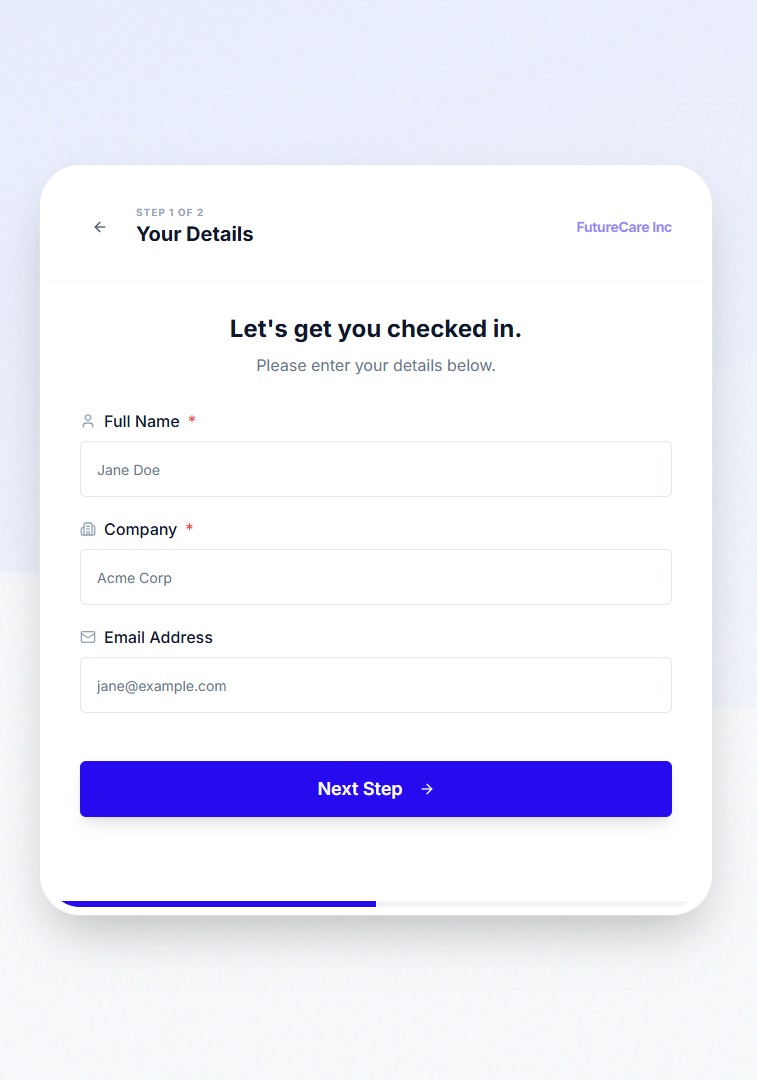
Kiosk sign-in step
BC Ben Carter has arrivedFor James Miller · 10:31amPush notification · Arrivo Go
Scan to sign in on your phone
10:28am
Ben arrives at reception. There’s an iPad on the counter showing the welcome screen, and a QR code beside it for anyone who’d rather use their own phone. The receptionist is on a call. Nobody asks Ben to wait for her.
10:29am
He signs himself in. He types his name, picks James Miller as the person he’s here to see, and answers the two questions this business chose to ask. Nothing it doesn’t need.
10:31am
James is told. The moment Ben taps Done, James gets a push notification in the Arrivo Go app on his phone: “Ben Carter has arrived · Reception.” Nobody walked down the corridor to find him.
10:33am
James comes out. Ben has been sitting for two minutes. The receptionist is still on her call, and hasn’t left the desk.
11:20am
Ben signs out on the way past. One tap on his name. If he forgets, he stays on the live list of everyone signed in right now until someone at the desk signs him out.
The staff member · Arrivo Go

James has a 9 to 5, a visitor at half ten, and a Friday he’d like off.

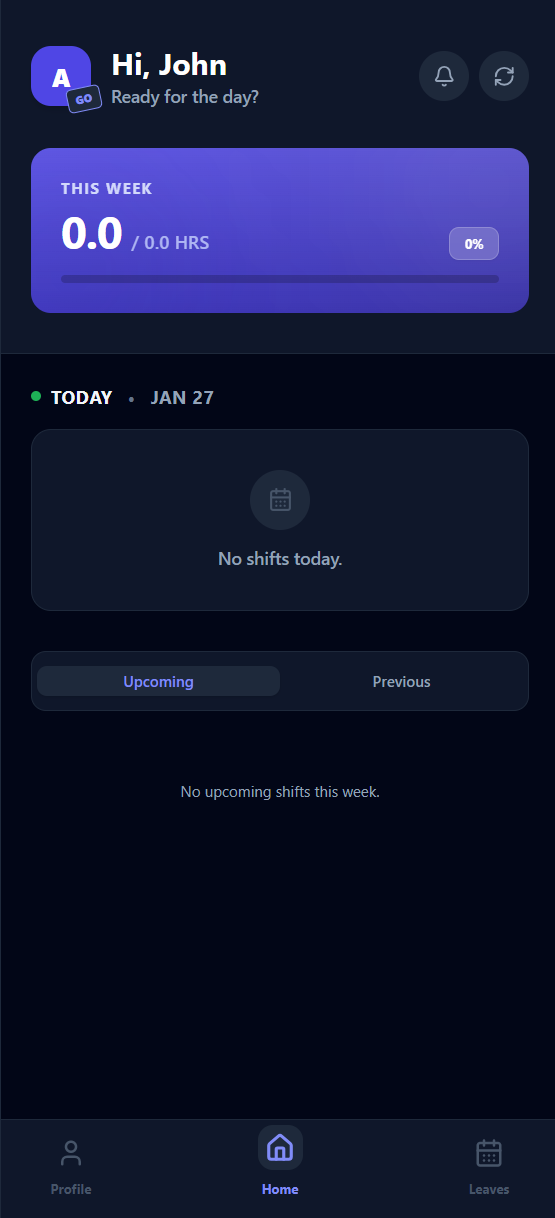
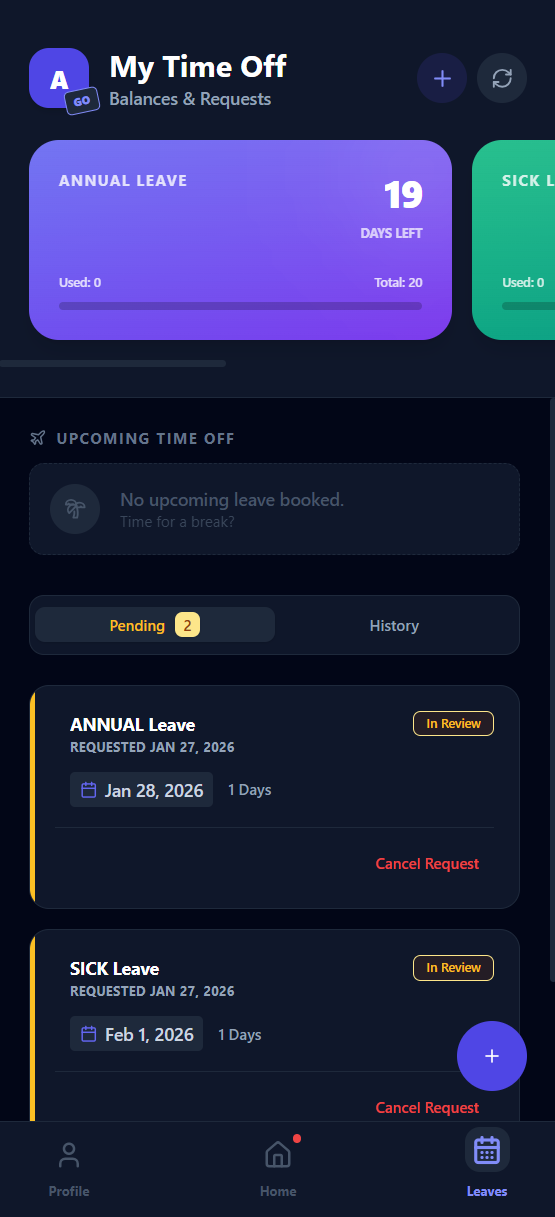
What a staff member sees in the Go app on their own phone, iPhone or Android. Only their slice: their shifts, their leave, their alerts.
BC Ben Carter has arrivedReception · 10:31amTap to say you're on your way
Arrivo Go on iPhone
Arrivo Go on Android
◁ ○ ▢
7:15am
James checks today on the bus. He opens Arrivo Go. Today: 9am to 5pm at Newmarket. Below it, the rest of the week, exactly as the manager published it. No screenshot, no group chat.
8:58am
He arrives. One tap, if his workplace asks for it. This business has asked for clock-in, so James taps once as he walks in. That shows the manager he’s here. It doesn’t change his timesheet, which is built from the published roster.
10:31am
His phone buzzes. “Ben Carter has arrived · Reception.” A push notification from the Go app, sent to him because Ben picked his name. He taps to say he’s on his way.
12:40pm
He asks for next Friday off. Two taps and a note. He can see his leave balance before he asks, so he already knows the answer isn’t “you don’t have the days.”
3:48pm
“Friday approved.” His week and his balance update in the app. He didn’t have to ask twice or check a spreadsheet.
4:15pm
Next week arrives. The manager publishes next week’s roster from the Portal. James’s phone shows his shifts within seconds, and only his.
The manager · Arrivo Portal

Sarah runs the desk and the roster. Today she barely touches either.

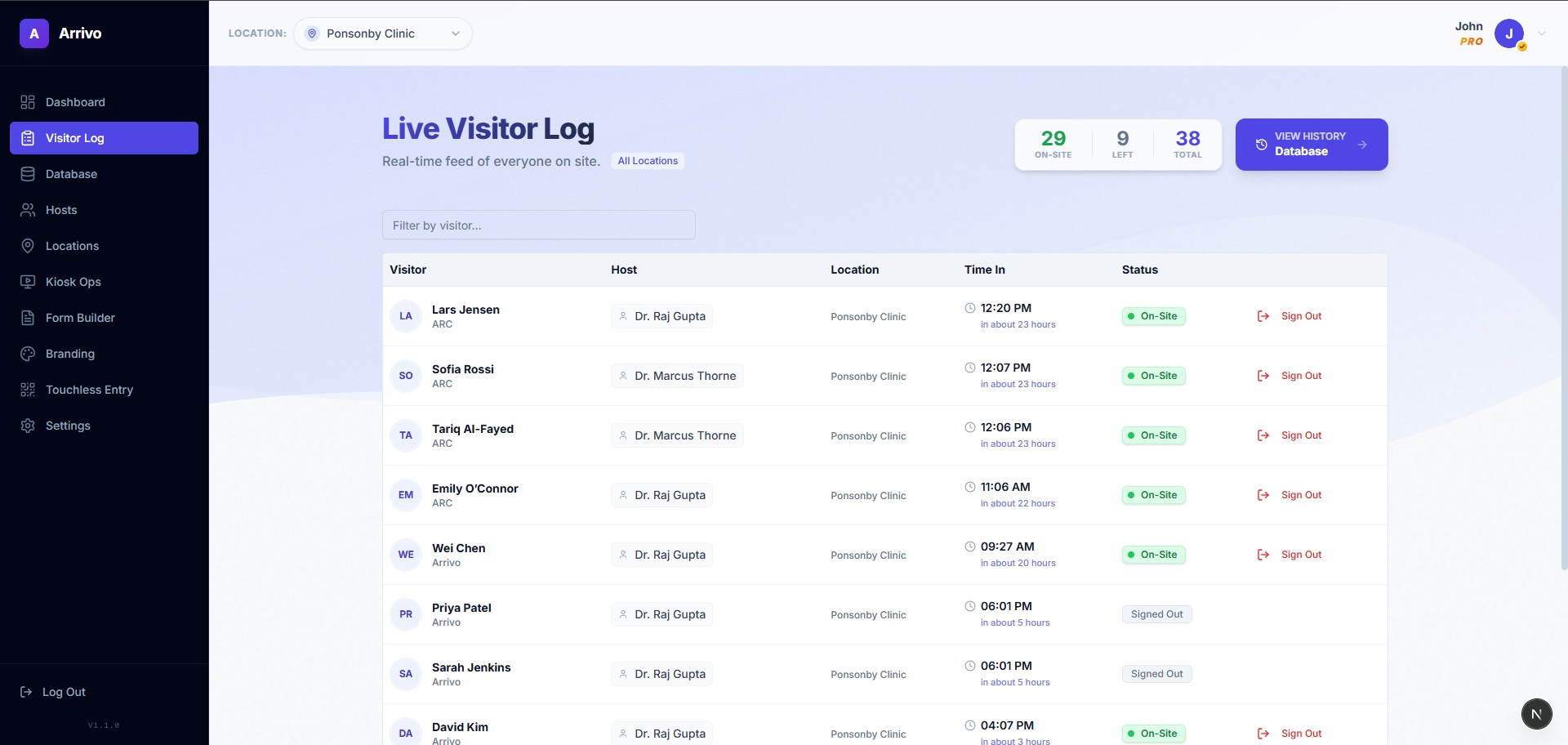
What the manager sees in a browser, on a laptop or the front-desk monitor. The roster, leave, the visitor log and every site in one place.
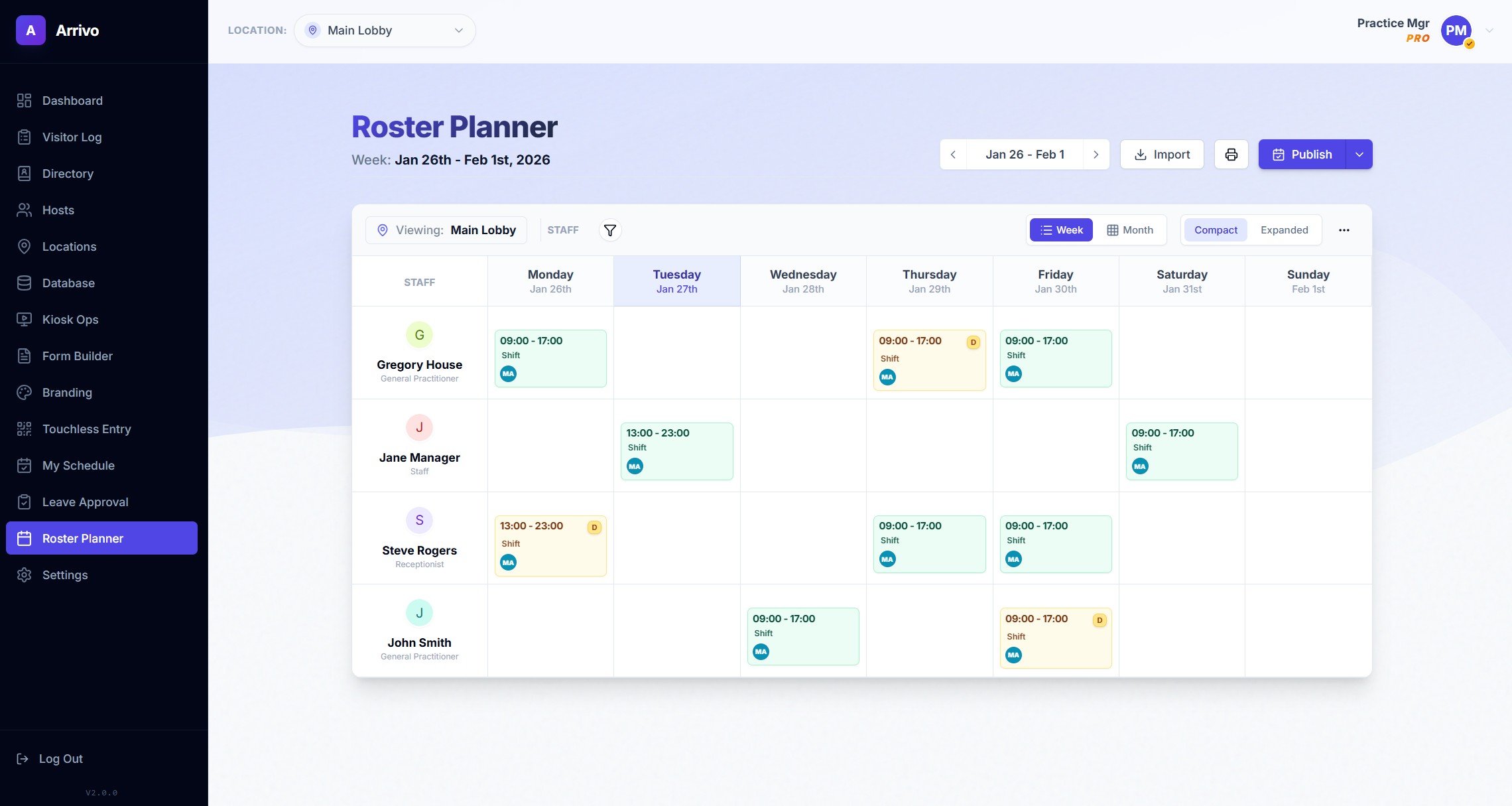
Roster planner on a laptop
Visitor log on a monitor
8:45am
Sarah opens the Portal. Today at a glance: who’s rostered, who’s signed in, what’s waiting on her. Because clock-in is switched on here, she can also see who has actually arrived. That’s for visibility only; timesheets come from the published roster.
10:31am
Ben’s visit appears in the log. She sees it come in while she’s on the phone. There’s nothing for her to do, because James has already been told on his phone.
12:41pm
A leave request lands next to Friday. James’s request sits beside next Friday’s roster, where she can see two people are still on that afternoon.
3:48pm
She approves it. One click. James hears in Go, Friday’s roster updates, and his balance comes down by a day.
4:15pm
She publishes next week. Drags a couple of shifts, checks nobody is short, presses Publish. Once. Every phone gets its own week.
5:30pm
She checks who’s still in. The live list of everyone signed in right now shows one contractor who hasn’t signed out. She signs him out from the Portal and locks up.
And at the end of the fortnightTimesheets are built from the published roster, with the week’s changes already in them. Sarah adjusts where a day went differently, approves, and exports in the format her payroll system expects. Nobody re-keys hours.
Where Arrivo Intelligence fits

Sarah could have asked, instead of looking.

Who’s still on site. Whether Friday is covered if James is off. Any of the questions above, in plain English, answered by calling the same permission-checked APIs the Portal uses, signed in as her. Ask it to approve the leave and it shows the exact change before anything happens.

See Arrivo Intelligence →
Who’s still on site?
One person: Tom Baker, a contractor, signed in at 2:10pm for Mark. Everyone else has signed out.
Sign him out.
I’ll sign Tom Baker out at 5:31pm and note it in the visitor log under your name. Confirm?
Answered as Sarah, using her permissions only. Actions always wait for her OK.

What would your Tuesday look like?

Twenty minutes with Sid. Bring your visitor book and your roster spreadsheet.